Step 1: the ink
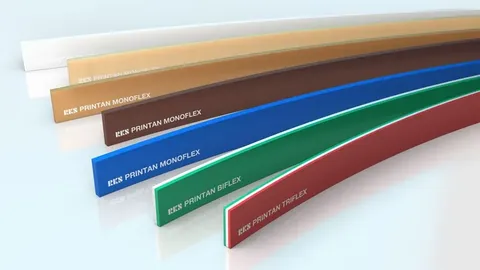
The ink decides the blade material and the starting hardness. Solvent-based inks soak into ordinary polyurethane and soften it, so use a solvent-resistant grade such as RKS HT1 or Printan at 65 to 75 Shore A and rotate blades between shifts. UV inks must be printed in a thin, even film, so a medium to hard blade of 75 to 85 Shore A with a sharp square edge is the usual choice.
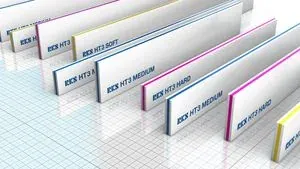
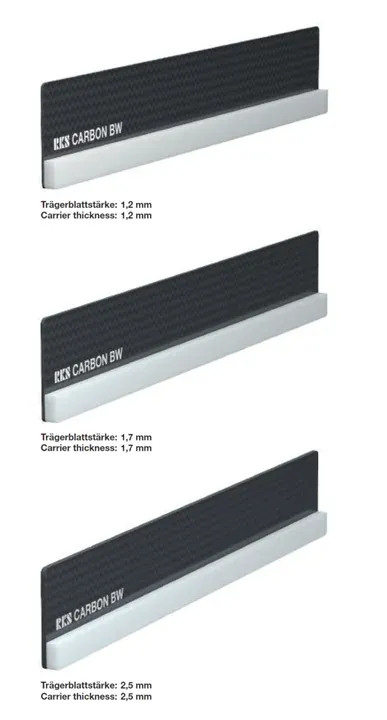
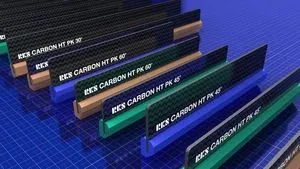
Water-based inks and plastisol are printed in heavier films, often on textiles or textured surfaces, so a softer blade of 60 to 70 Shore A suits them. Conductive silver and aluminium pastes for solar cells, sensors and printed electronics are thick and abrasive and must go down in exactly the same amount on every print, so the blade must keep its angle. RKS makes the HT3 triple-layer strip and the carbon-backed Carbon BW for these pastes, and the Carbon HT PK for solder paste. Check the ink maker's data sheet in every case.
Step 2: the material
A flat, smooth substrate such as polycarbonate, polyester film, glass or coated board lets a hard blade seal properly, so go to the harder end of the ink's range. A textured, rough or uneven material, such as textile, leather, a moulded part or a rough laminate, needs a softer blade that follows the surface, or a rounded edge that fills the texture. If the material is not flat, check the press's off-contact and bed level before blaming the blade.
Step 3: the detail in the image
Fine lines, small text and halftones need a sharp square edge on a hard blade, 75 to 85 Shore A, run at a steep angle with low pressure. RKS recommends 75 to 85 Shore A with a 1.5 mm edge on rotary units for fine lines, and the HT3 Hard 85/90/85 for extreme fine lines in paste. Solid areas and heavy deposits need more ink: a softer blade of 55 to 65 Shore A, a bevelled or rounded edge, a flatter angle and a slower stroke. Braille on labels is the extreme case, printed with a 3 mm edge at 55 Shore A on RKS rotary blades. Mixed jobs are usually printed with a medium blade and tuned by pressure and angle; if one part of the image always suffers, split the job into two screens with two blades.
Step 4: the press
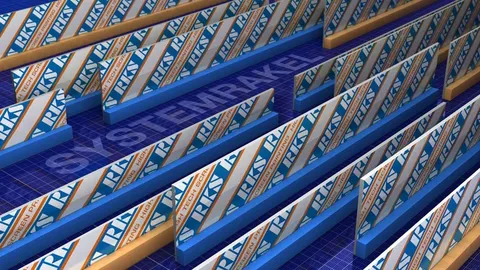
A flatbed press holds the blade in a print head that sets the angle, so a conventional strip or an RKS System or Carbon S stabilised blade both work; the stabilised blade is chosen when the same result must repeat over a long run or across shifts. A stop-cylinder press prints fast on thin sheets and benefits from a stiff blade that does not bend at speed. A roll-to-roll press with a rotary screen unit needs a thin, flexible rotary blade such as the RKS RS or RS WP, cut to the length of the unit. Solar and printed electronics lines from DEK, Baccini, EKRA, ASYS and HMI take RKS Carbon blades in machine-specific holders.
Selection table: typical starting points
The figures are typical starting points, to be adjusted on the press. Where a number depends on the ink, check the ink maker's data sheet.
| Job | Hardness | Edge | Blade type |
|---|---|---|---|
| Solvent ink, graphics on film or sheet | 65 to 75 Shore A | Square | RKS HT1 Medium, Printan 70 to 75; rotate blades |
| UV ink, fine detail on polycarbonate or glass | 75 to 85 Shore A | Square, sharp | RKS HT1 Hard, Printan 80 to 85, or RKS System or Carbon S for long runs |
| Water-based or plastisol ink, textiles and textured surfaces | 60 to 70 Shore A | Square or rounded | Printan 65 to 70 or HT1 Soft |
| Conductive paste: solar cells, sensors, printed electronics | Per the paste data sheet; HT3 Soft to Hard | Chamfered on Carbon BW, 45 degrees | RKS HT3, Carbon BW in DEK, Baccini or EKRA holders |
| Solder paste, SMT, head gaskets | 65 to 85 Shore A | 30, 45 or 60 degree edge | RKS Carbon HT PK |
| Labels on a rotary screen unit, normal work | 65 Shore A, 2 mm edge | Rounded, small or large radius | RKS RS or RS WP |
| Labels, fine lines and halftones | 75 to 85 Shore A, 1.5 mm edge | Rounded, small radius | RKS RS CC or RS WP CC |
| Braille and very heavy deposits | 55 Shore A, 3 mm edge | Rounded | RKS RS or RS WP |
Blade size and ordering
Cut the blade 2 to 5 cm longer than the image on each side and keep it clear of the frame. Choose the height for the holder: 20 to 50 mm strips for standard holders, 95, 105 or 115 mm stabilised blades for RKS holders. A 6 mm strip of a given hardness acts harder than an 8 mm strip. An RKS order names the series, height, polyurethane thickness, hardness, cut length and edge, so have these ready when sending an enquiry.
Care and when to resharpen
Clean the blade after every run with the solvent the ink maker names, and never leave it standing in ink or solvent. Store blades flat, edge up, away from heat and sunlight. Rotate blades between shifts so a swollen blade recovers its hardness before it is used or ground again.
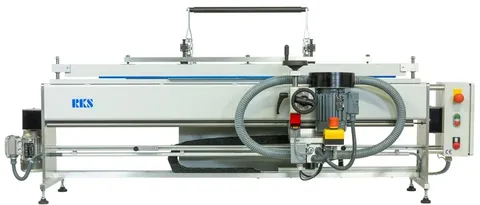
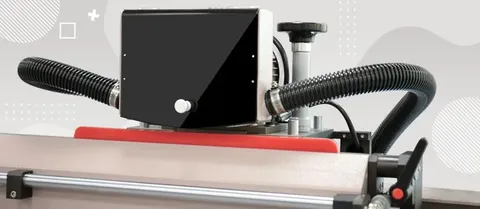
Resharpen when fine detail widens, the deposit rises without a settings change, a streak appears in the same place on every sheet, or the edge shows rounding or daylight against a straight edge. Many plants grind on a fixed schedule by print count. Use a squeegee grinder such as the RKS SM 600 TT and 1200 TT or the ATMA ATS sharpeners, in small passes. Replace the blade when the free height is too short to flex, when the polyurethane has hardened or cracked, or when a stabilised blade has separated from its carrier.
Ask Sunstar
Sunstar Graphics supplies the full RKS squeegee range in India, with holders, adapter strips and grinding machines, and Kuroki polyurethane blades from Taiwan. Send an enquiry with your ink, mesh count, material, press model and image size and Sunstar will suggest a blade and quote a rate within one working day.