Typical settings and what each one changes
The ranges below are typical. Inks behave differently, so check the ink maker's data sheet for the recommended blade and mesh. Some presses show the angle from vertical, so 75 degrees to the screen reads as 15 degrees on the scale.
| Setting | Typical range | Effect |
|---|---|---|
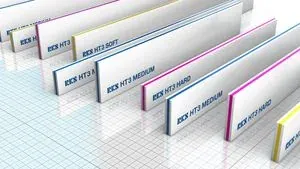
| Hardness | 60 to 90 Shore A. Soft is 60 to 65, medium 70 to 75, hard 80 to 90 | Softer gives more ink and suits uneven surfaces. Harder gives less ink and sharper detail |
| Angle | 60 to 80 degrees between blade and screen | A more upright blade deposits less ink. A flatter blade deposits more |
| Pressure | The lowest that prints the full image | Extra pressure bends the blade, flattens the real angle and spreads the ink |
| Speed | Set by the ink. Thick pastes run slower | A slower stroke gives the ink more time to fill the mesh |
| Edge | Square and sharp for most work | A rounded or worn edge deposits more ink and softens the print |
Setting squeegee pressure
Bring the squeegee down until it only just fails to print, then add pressure in small steps until the whole image prints cleanly. Stop there. Add a small margin only if parts of the image drop out during the run.
Too much pressure is a common fault on the shop floor. It forces ink under the stencil, widens fine lines, wears the stencil and mesh, and pulls the image out of register. If a print needs heavy pressure to clear, check for low screen tension, too much off-contact, a worn blade or a bed that is out of level.
Pressure must be even along the blade. Check that both ends of the holder are set to the same value.
Choosing hardness and blade type
Solvents swell polyurethane. Rotate blades between shifts and let a used blade rest before sharpening, so the edge is ground after it has returned to size.
- Fine lines, halftones and thin UV films: hard blade, 80 Shore A or more, with a sharp edge.
- General graphics on film and sheet: medium blade, 70 to 75 Shore A.
- Heavy deposits, textured surfaces and textiles: soft blade, 60 to 65 Shore A.
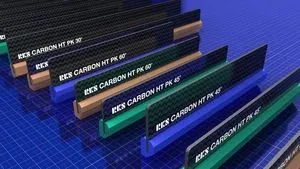
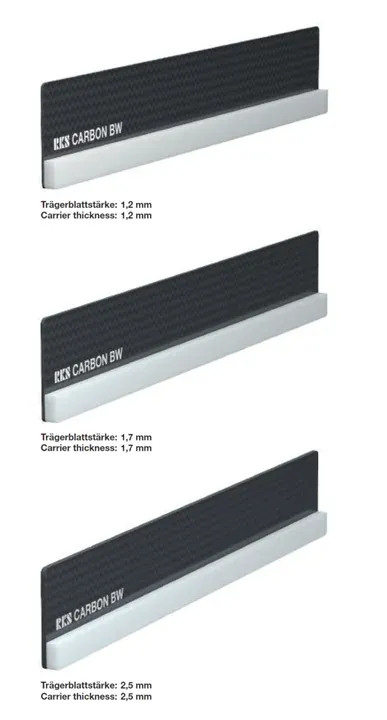
- Long strokes and wide formats: a carbon-backed blade, which puts a printing edge of the hardness you need on a stiff backing, so it stays straight under pressure.
Blade care
A squeegee prints with its edge. A nick prints as a streak, and a rounded edge raises the deposit across the whole image. Sharpen blades on a regular schedule and record which blade ran which job. Cut the blade about 2 to 5 cm longer than the image on each side and keep it clear of the frame. Set the flood bar so that it fills the mesh evenly without pushing ink through it.
Squeegees and sharpeners Sunstar supplies
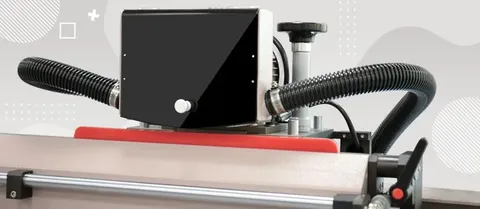
Sunstar Graphics supplies RKS squeegee blades from Germany in India. RKS HT3 is a polyurethane squeegee in soft, medium and hard grades. RKS Carbon HT PK and Carbon BW are carbon-backed squeegees that stay straight on long strokes. Sunstar also supplies Kuroki polyurethane blades from Taiwan. The ATMA ATS 100D digital squeegee sharpener and the ATS 100 / 150 squeegee sharpener restore the edge.
On the press, ATMA flatbed screen printers use a servo print stroke. Send an enquiry with your ink, mesh and print size for blade grades, machine options and Indian pricing.