What off-contact does
In off-contact printing the mesh touches the substrate only along the line of the squeegee. Behind the blade the mesh springs back up and leaves the ink on the sheet. This lift is the snap-off. A clean snap-off gives sharp edges and an even ink film.
If the screen stays stuck to the wet print, the ink is disturbed when the frame lifts. If the gap is too large, the squeegee has to push the mesh a long way down, and the image stretches with it.
Typical off-contact distance
The right gap depends on screen tension, frame size, ink tack and print speed. A tight screen needs less gap than a slack one. The figures below are typical starting points. Thick, tacky inks and fast strokes need a little more, so check the ink maker's data sheet if it gives a print gap.
| Screen | Typical off-contact |
|---|---|
| Small frame, high tension, fine functional work | 0.5 to 2 mm |
| Frame up to about 600 × 800 mm | 2 to 4 mm |
| Frame of about 1000 × 1500 mm | 4 to 8 mm |
| Very large glass and signage frames | 8 mm or more |
How to set the gap
Some presses also lift the back of the frame as the squeegee travels. This is called peel-off, and it helps the mesh release with a smaller gap.
- Measure screen tension first. A slack screen cannot be corrected with off-contact.
- Set the gap equal at all four corners with gauge blocks or feeler gauges, measured to the surface of the substrate.
- Start low and raise the gap in small steps until the mesh lifts directly behind the squeegee along the whole stroke.
- Leave free mesh between the image and the frame on all sides, so the squeegee does not have to force the mesh down close to the frame.
- Record the gap with the job so the next run starts from the same setting.
Problems caused by the wrong gap
| Problem | Likely cause | Fix |
|---|---|---|
| Screen sticks to the print, solids look smeared or mottled | Gap too small, low screen tension or tacky ink | Raise the gap in small steps, check tension, slow the stroke |
| Image prints longer than the artwork, colours out of register | Gap too large, so the mesh stretches | Lower the gap and use the same gap for every colour |
| Weak print near the frame | Image too close to the frame | Use a larger frame or lower the gap |
| Stencil or mesh wears out early | A high gap needs high squeegee pressure | Lower the gap and the pressure together |
| Sharp on one side, smeared on the other | Gap unequal across the frame | Reset all four corners to the same value |
Machines Sunstar supplies that hold off-contact steady
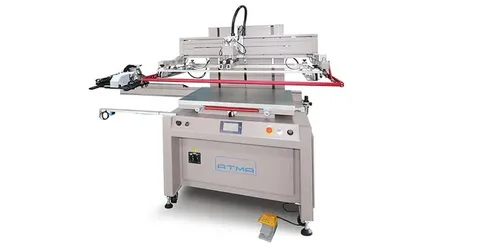
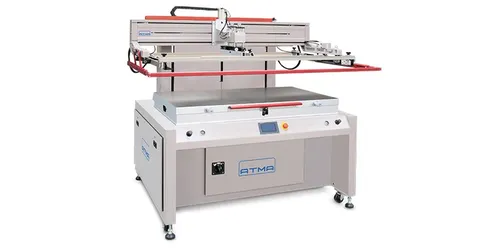
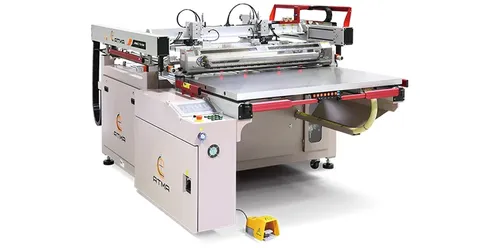
A steady off-contact needs a frame that lifts parallel to the bed and returns to the same height on every cycle. ATMA flatbed screen printers, which Sunstar Graphics supplies in India, use a motor-driven vertical screen lift and a servo print stroke, with a repeat accuracy of ±0.02 mm. The AT-80P/SV and AT-120P are electric flatbeds. The ATMACE 67/G(6) is a fully automatic flatbed with a feeder.
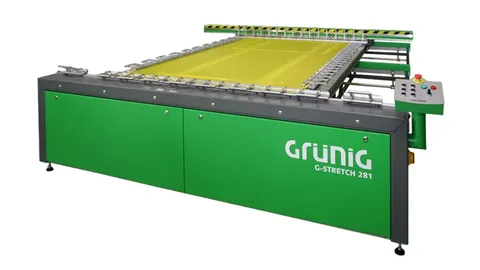
Off-contact also depends on screen tension, which is set on a Grünig stretching machine. Send an enquiry with your sheet size and material for machine options and Indian pricing.