Read the error first
Print register marks in all four corners on every colour. Measure the error on ten sheets in a row and note its direction.
| What you see | Likely cause | Fix |
|---|---|---|
| Same shift on every sheet | Screen or image is in the wrong position | Move the screen with the micro-adjusters. Image all screens in the same position |
| Shift changes from sheet to sheet | Sheet not seated against the lays, weak vacuum, cut edges vary | Check lay stops and vacuum. Feed the same two edges for every colour |
| Fits on one side, off on the other | Substrate shrank in the dryer, or screens differ in tension | Pre-shrink the material. Match tension across the screen set |
| Error only along the print direction | Too much off-contact or squeegee pressure stretches the mesh | Lower both. Use the same values for every colour |
| Error grows during the run | Screen losing tension, or room temperature and humidity changing | Measure tension. Control the print room climate |
Substrate shrinkage
Polycarbonate and polyester films shrink when they pass through a dryer. If the first colour is printed on fresh material and the sheet then shrinks, later colours will not fit. Common practice is to pass the blank sheets through the dryer once before printing, at the temperature used in production, or to buy heat-stabilised film. Keep the dryer temperature and belt speed the same for each colour.
Let material reach print room temperature before use. Paper and board change size with humidity, so keep the room steady.
Screens and artwork
- Use the same mesh and frame size for every colour in the set.
- Keep tension within about 2 N/cm across the set.
- Stretch all screens with the mesh running in the same direction.
- Place the image in the same position on every screen.
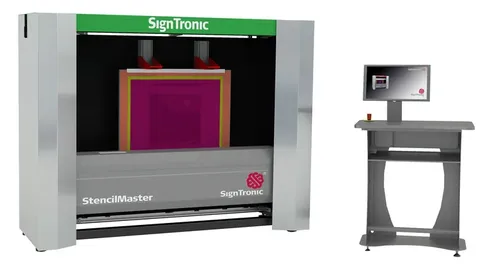
- Film positives change size with heat and humidity. Computer-to-screen (CTS) imaging writes each screen from the file, in the same position.
Press settings
Use three-point lay: two stops on the long edge and one on the short edge. Use the same edges for every colour and for die-cutting. Check lay stops for wear and screen clamps for play. Set off-contact equal at all four corners. On a hand-fed semi-automatic press, register depends on the operator seating each sheet the same way.
Check the fit of the first few sheets of each colour under a magnifier before running the batch, and check again at regular intervals during the run.
Machines Sunstar supplies for tight register
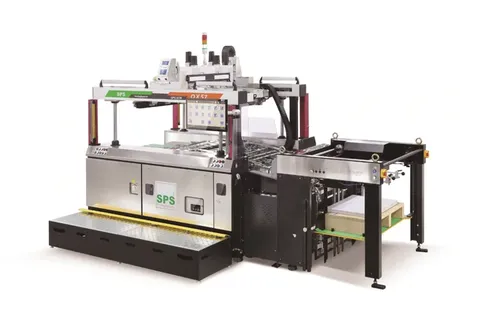
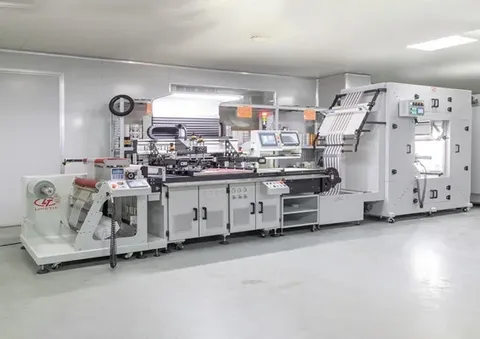
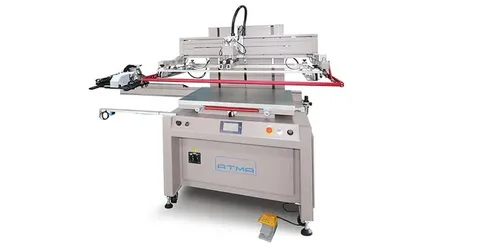
Where the material itself moves, a camera system is the practical fix. A CCD registration screen printing machine reads printed marks on each sheet or repeat and aligns before it prints. Sunstar Graphics supplies the SPS ASTRON QX stop-cylinder press, with dual-camera registration to 30 microns, and the Lingtie LTA-5070, a CCD-registered screen printer with UV curing. ATMA flatbed printers have a repeat accuracy of ±0.02 mm. SignTronic CTS imaging and Grünig stretching machines deal with the screen side.
Send an enquiry with your material, sheet size, number of colours and tolerance for machine options and Indian pricing.