Start with the screen
Most fine-line problems begin in the screen room.
- Mesh. Use a high mesh count with a thin thread, typically 120 to 165 threads per cm for graphic inks. The mesh opening has to be large enough for the ink to pass. A common rule is an opening at least three times the largest particle in the ink. Check the ink maker's data sheet for the recommended mesh
- Tension. Stretch to the tension the mesh maker recommends, typically 18 to 25 N/cm for fine polyester mesh, and keep it even across the frame. Low or uneven tension lets the image stretch and the lines blur
- Mesh angle. Mesh is often stretched at an angle to the frame, commonly 22.5 degrees, so that the threads do not run along straight lines in the artwork. This reduces sawtooth edges
- Stencil. Coat a thin, flat stencil. Emulsion over mesh (EOM) is typically a few microns for fine lines. A thick stencil prints a tall line that spreads. A rough stencil lets ink creep under the edge
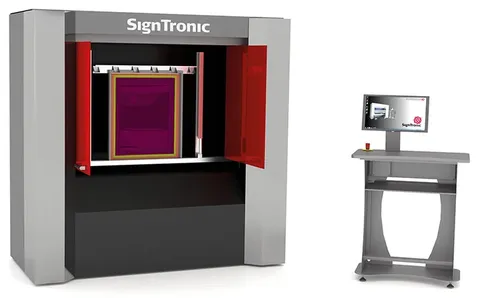
- Image. Expose from a sharp, dense film positive in good vacuum contact, or image the screen by computer-to-screen (CTS). CTS writes the artwork straight onto the emulsion, so there is no film to distort or lose contact
Press settings for fine lines
| Setting | Typical for fine lines | Reason |
|---|---|---|
| Off-contact (snap-off) | As low as still peels cleanly, typically 2 to 4 mm on a mid-size frame | High off-contact stretches the image |
| Squeegee hardness | Typically 70 to 80 Shore A with a sharp edge | A soft or rounded edge pushes through too much ink |
| Squeegee angle | Typically 70 to 75 degrees | A more upright blade deposits less ink |
| Squeegee pressure | The lowest that prints the full image | Extra pressure spreads the line |
| Print speed | Moderate and constant | Gives the ink time to fill fine openings |
| Flood stroke | Light and even | A heavy flood pushes ink through before the print |
Polycarbonate needs its own care
- Static and dust. Polycarbonate sheet picks up a static charge when the protective film is peeled off. The charge attracts dust and can make the ink spread in fine hairs. Use an ionising bar and a tacky roller, and keep the print room clean
- Ink. Some solvents attack polycarbonate and cause stress cracks. Use an ink made for polycarbonate and the thinner its maker recommends
- Flatness. Polycarbonate film for dials and overlays is typically 0.25 to 0.5 mm thick. A vacuum bed has to hold it flat across the whole print area
- Heat. The film can change size in the dryer. Keep the drying conditions the same for every pass so that later colours register, and check the film maker's data sheet
Common faults and their causes
- Lines print wider than the artwork: too much pressure, a soft or rounded squeegee, a thick stencil or ink that is too thin
- Sawtooth edges: mesh too coarse, a rough stencil, or threads running along the line
- Broken lines: mesh too fine for the ink, ink drying in the mesh, too little pressure or dust on the sheet
- Lines out of position: low screen tension, high off-contact or a sheet that moves on the bed
What Sunstar supplies
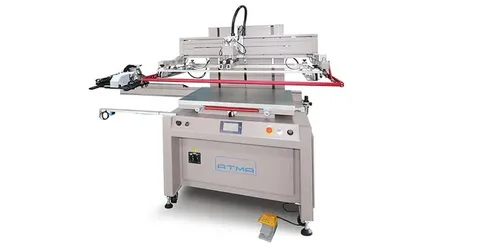
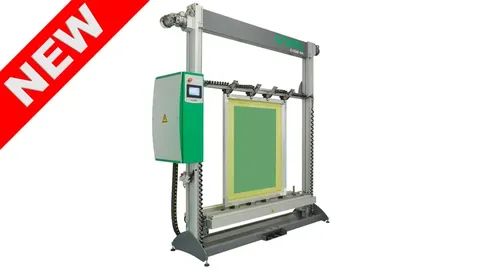
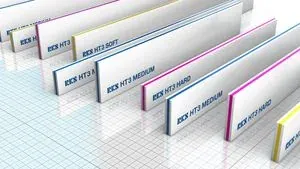
Sunstar Graphics supplies each part of a fine-line printing set-up in India. ATMA flatbed screen printers have a servo print stroke, a motor-driven vertical screen lift and a repeat accuracy of ±0.02 mm. The SignTronic STM MICRO is a computer-to-screen system for fine-line imaging. Grünig stretching and coating machines give a set tension and a repeatable emulsion thickness. RKS and Kuroki squeegees and ATMA squeegee sharpeners keep the blade edge sharp.
Sunstar is the exclusive distributor in India for these brands and installs, trains and services from Mumbai, across India. Send an enquiry with your line width, sheet size and ink. Sunstar replies within one working day, and you can ask for machine options and Indian pricing.